
07-01-2016, 04:03 AM
|
|
Senior Member
|
|
Join Date: Apr 2011
Posts: 301
Rep Power: 16
|
|
 WPS Office + PDF v9.7.5

 Description
Quote:
WORLD'S #1 FREE ANDROID OFFICE SUITE JUST GOT EVEN BETTER!
DOZENS OF NEW FEATURES AND ENHANCEMENTS
INCLUDING AN ALL NEW GOOGLE INSPIRED DESIGN
OVER 330 MILLION USERS AND OVER 660,000 GOOGLE PLAY REVIEWS
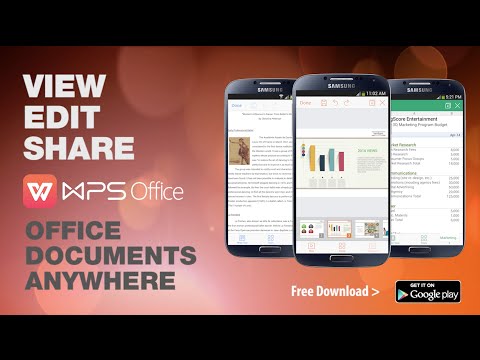
VIEW, EDIT AND SHARE OFFICE DOCUMENTS ANYWHERE
FULLY COMPATIBLE WITH MICROSOFT OFFICE AND GOOGLE APPS
CNET "Best free office suite."
USA Today "One of the best new apps."
PC World "How good could a free office suite be? In this case, pretty darn good..."
Gizmodo "Essential app for your new Android phone or tablet..."
Techlicious "10 Free Android Apps Everyone Should Download..."
Economic Times "Best free document editing app..."
VIEW ANY FILE TYPE
WPS Office can open almost any file type including PDFS and Microsoft Word, PowerPoint and Excel documents. This means when you use WPS Office to open a document from your email or favorite cloud service, you can be sure it will look exactly the way it would on your PC.
CREATE AMAZING DOCUMENTS
WPS Office comes loaded with features similar to what you'd find on a PC office solution. This includes advanced text and paragraph formatting options as well as the ability to add and edit images, shapes, tables and charts directly into your presentation or document.
EASY FILE SHARING
With WPS Office you can share your files through email, Evernote and more. You can also share presentations with others other smartphones and tablets using Wi-Fi.
CONNECT TO YOUR CLOUD
Using WPS Office you can access and edit documents from your favorite cloud drive. When you are done editing, WPS Office will automatically save them back online.
ALL NEW TABBED DOCUMENT VIEWING
Easily move between and manage multiple open documents with WPS Office's new Document Tab feature.
WPS Office Highlights
• One small app includes Presentation, Writer and Spreadsheets
• Uniquely designed for Android smartphones and tablets*
• Fully compatible with Microsoft Word, PowerPoint and Excel
• Open almost any file format including DOC, XLS, PPT, TXT, PDF and more
• Access documents from Google Drive, Dropbox, Box, OneDrive and WebDAV
• Share documents and presentations using WIFI or DLNA
• Send documents through email and text message
• Save documents to the cloud
• Keep your work safe with auto-save and document encryption
• Works with both USB and Bluetooth keyboards
• Use familiar keyboard shortcuts such as Ctrl+C and Ctrl+P
• Full support for wireless printing (including PDFs!)
• Support for 47 different languages
Presentation
• Fully compatible with Microsoft PowerPoint
• Insert and edit images, shapes, text boxes, audio and notes into presentations
• Insert charts and tables
• View notes in presenter mode
• Touch controlled laser pointer, pen and highlighter
• And more
WHAT'S NEW
WPS Office+PDF Version 9.7 is released now, including 17 enhanced and new features.
Highlight Features:
[Writer]
- Auto filter the system log files in the documents list;
- Improved the emerging time of the fast-flip button while reading documents;
[Presentation]
- Improved the display effect of the text in images;
- Solved the shaking issue when scrolling slides quickly;
- Improved the fluency when playing animation;
MORE INFO
[Only Registered users can see links . Click Here To Register...]
|
Requirements: 2.3+
Size : 24 Mb
DOWNLOAD
Code:
https://goo.gl/giiQyb

|



 Linear Mode

