 |
 |
|
|
|||||||


| Mobile Phones Talk Discussions , News and previews about mobiles and symbian phones |
 |
|
|
Thread Tools | Display Modes |
|
|
|
|
|
|||||||
| Mobile Phones Talk Discussions , News and previews about mobiles and symbian phones |
|
|
|
Thread Tools | Display Modes |
|
#1
 11-06-2008, 12:38 PM
|
||||
|
||||
 Google Earth in 3D released for the iPhone
Google released an iPhone version of their highly popular desktop application Google Earth. Not only can you roam the virtual Earth viewing satellite imagery but you can also view selected terrains in 3D just by tilting your iPhone. The iPhone OpenGL graphics seems well suited for an intensive application like Google Earth.
The new Google Earth application can be download straight to your iPhone (2G or 3G) via the Apple AppStore for free. You can use this link (opens iTunes if you have it installed). When you start off the App you will see the 3D Earth from space. To zoom in just double tap or use the well-known iPhone gesture. You can drag the virtual map with finger swipes just as easily as you would on the native Google Maps application. This time however you can rotate the map as you like by twisting two fingers on screen. 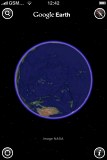 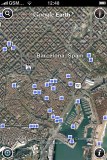 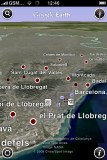 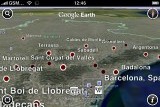 Visting the virtual Barcelona: notice the info dots from Panoramio and Wikipedia You can pinpoint your location using either GPS or cell tower triangulation. You can also search places in general or ones near your location. And finally you can always realign your map to point to North by clicking on the compass in the top right corner. 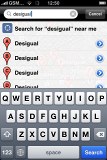 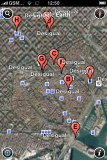  Looking for a local businesses - Desigual stores • reading an article about a individual store The nice thing about Google Earth (and what makes it better than Maps) is that it's loaded with information - geotagged photos from Panoramio and text articles from Wikipedia. If there are any of those available for the location you are looking at, you'll see small clickable icons on screen. 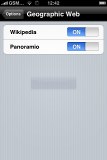   Reading a Wikipedia article and opening a Panoramio image straight from Google Earth As we already said, using the 3D mode is as easy as it gets. If you use Google Earth with the iPhone parallel to the ground, just lift it up in portrait position and you'll see the virtual horizon and hopefully some 3D terrain (not available at all places). 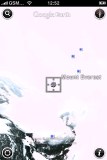 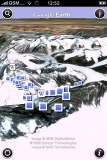 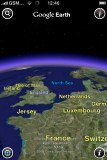 Visiting Mount Everest in 2D and 3D • showing Europe in 3D view
__________________
Download last Game of Battle Royal [Only Registered users can see links . Click Here To Register...]|Are you fan of [Only Registered users can see links . Click Here To Register...] this Horror game for you. 
|
|
| Bookmarks |
| Thread Tools | |
| Display Modes | |
|
|


 Linear Mode

